“Digital workplace services” is what enterprise vendors call the bundle your team actually experiences as: my laptop works, my apps work, and when something breaks, someone fixes it fast.The short answer: digital workplace services bundle the service desk, endpoint management, identity and access, collaboration-stack administration and on-demand engineering into a single managed contract. In Noida, mid-market businesses typically pay per user per month for it, and the decision that matters is not which vendor has the longest feature list — it is which one publishes real SLA performance and builds security into the bundle rather than selling it separately.Here is what the bundle really contains, what it costs to run badly, what it costs to run properly, and how to choose a partner for it in Noida — without paying enterprise-vendor overhead for mid-market needs.
What Digital Workplace Services Actually Include
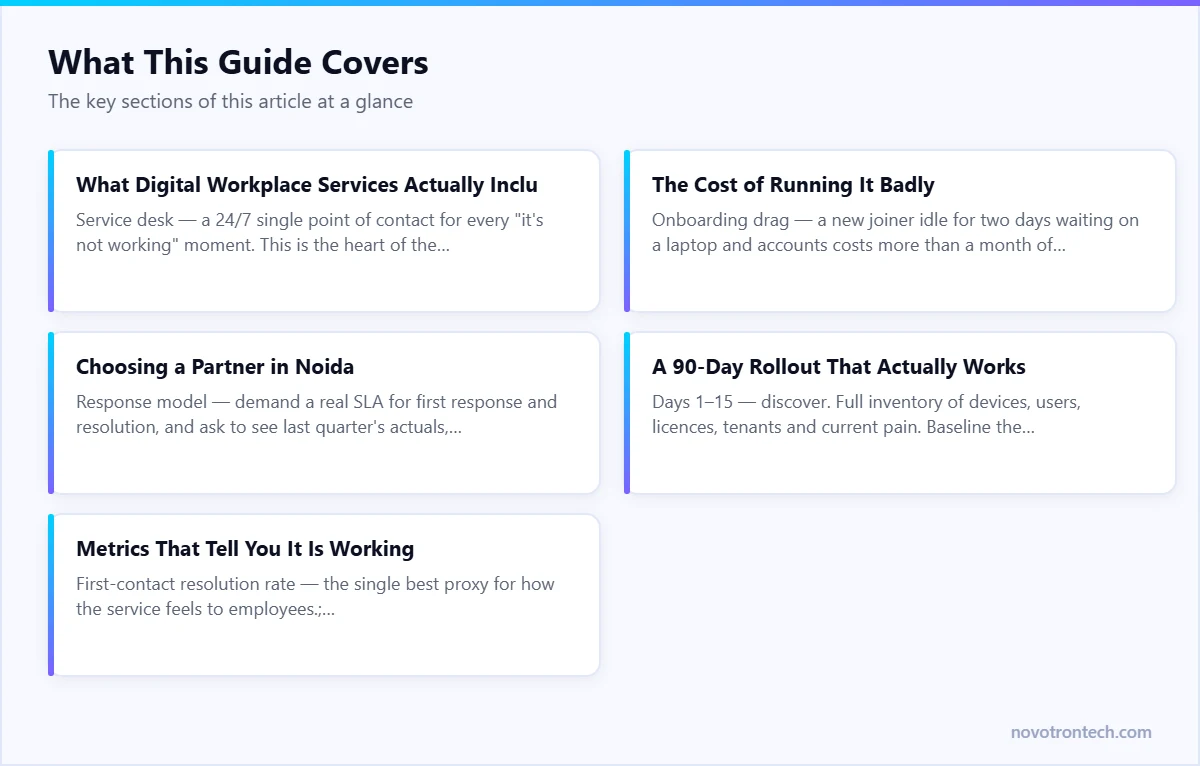
Service desk — a 24/7 single point of contact for every “it’s not working” moment. This is the heart of the bundle; see our Global Service Desk.
Identity and access — joiners get access on day one, leavers lose it the same day, and MFA guards every login. See IAM explained.
Collaboration stack care — Microsoft 365 or Google Workspace administered, licensed sensibly, and backed up (no, the vendor does not do that for you).
Asset and licence management — one accurate inventory of who has what, what is under warranty, what is ageing out, and which licences you are paying for but nobody uses.
IT staffing flex — engineers on demand when projects spike, via IT staffing.
The Four Layers, Explained
1. The service desk layer. This is where users meet IT, and where most digital workplace programmes are won or lost. What matters is not ticket volume but first-contact resolution — the share of issues closed without escalation. A desk running above 70% first-contact resolution feels invisible to employees. Below 50%, every request becomes a relay race and people stop logging tickets at all, which is when shadow IT starts.2. The endpoint layer. Provisioning, patching, encryption, and remote wipe. The test of maturity here is simple: how long does it take to hand a working, compliant laptop to a new joiner, and how long does it take to make a lost one harmless? Mature operations answer in hours. Immature ones answer in days, and often cannot answer the second question at all.3. The identity layer. Identity is the perimeter now. Joiner-mover-leaver processes must be automated and auditable, MFA enforced without exception, and privileged accounts separated from daily-driver accounts. Most breaches that begin in the workplace layer begin with an account that should have been disabled months ago.4. The collaboration layer. Microsoft 365 or Google Workspace administration, tenant hygiene, external sharing controls, licence right-sizing, and backup. Microsoft’s own shared responsibility model puts your data in your hands, not theirs — retention policies are not backup.
The Cost of Running It Badly
Every hour an employee fights their tools is payroll spent on friction. Multiply a daily 20-minute IT annoyance across a 100-person company and you are losing roughly 40 working days a month — invisibly. That, not the IT budget line, is the number that should drive this decision. Our guide on how managed IT reduces downtime covers the mechanics.The costs that never appear on an invoice are usually the largest:
Onboarding drag — a new joiner idle for two days waiting on a laptop and accounts costs more than a month of their tooling.
Shadow IT — when the sanctioned tools are slow, people move work to personal accounts and unmanaged devices, and your data goes with them.
Licence waste — unreviewed Microsoft 365 tenants routinely carry 10–20% of licences assigned to people who left or never needed that tier.
Security debt — unpatched endpoints and orphaned accounts are the two most common entry points in incidents we see across Delhi NCR.
What Digital Workplace Services Cost in Noida
Digital workplace services are priced per user per month, because that is the unit that actually drives effort. In 2026, the working range for mid-market businesses in Noida runs roughly ₹1,500–₹4,000 per user per month depending on how much of the stack is in scope and how deep the security layer goes — most businesses land between ₹2,200 and ₹3,200. Our managed IT services pricing guide shows what fair looks like tier by tier.Two things move that number more than anything else: whether 24×7 cover is genuinely required or only business hours, and whether security is inside the bundle or bolted on afterwards. Bolting it on afterwards always costs more.
Digital Workplace Services vs Traditional IT Support
Dimension
Traditional IT support
Digital workplace services
Unit of service
The device
The employee’s experience
Availability
Business hours, on request
24/7 single point of contact
Onboarding
Manual, ad hoc
Standardised, same-day
Identity
Handled by whoever remembers
Automated joiner-mover-leaver
Security
Separate purchase
Built into the bundle
Measurement
Tickets closed
First-contact resolution, time-to-productive
Choosing a Partner in Noida
Three filters do most of the work:
Response model — demand a real SLA for first response and resolution, and ask to see last quarter’s actuals, not the brochure numbers.
Security built in, not bolted on — the workplace bundle must include patching discipline, MFA enforcement, and an escalation path to a SOC. A help desk that cannot spot a phishing-driven ticket is a liability.
Right-sized commercials — enterprise digital-workplace suites are priced for thousand-seat contracts. Mid-market businesses in Noida usually get better outcomes from a managed partner with local presence.
Three more that separate good from adequate:
Local presence that is actually local. Remote support handles most tickets, but hardware failures, office moves and new-site setups need someone who can be on site in Sector 62, Sector 135 or Greater Noida the same day.
Documentation you own. Ask what happens to runbooks, asset registers and credentials if you leave. If the answer is vague, the answer is that you do not own them.
An escalation path with names. “24/7 support” means very little until you know who picks up at 3 a.m. and who they escalate to.
A 90-Day Rollout That Actually Works
Days 1–15 — discover. Full inventory of devices, users, licences, tenants and current pain. Baseline the metrics you will be judged on later.
Days 16–45 — stabilise. Deploy management and endpoint agents, close the obvious security gaps, clean up orphaned accounts, stand up the service desk in parallel with whatever exists today.
Days 46–75 — standardise. Build the joiner-mover-leaver workflow, standard device images, patch rings, and a licence model that matches actual usage.
Days 76–90 — optimise and hand over. Publish the first performance report against the baseline, agree the improvement plan, and move to steady-state operations.
One layer worth adding early is self-service answers. A large share of L1 tickets are repeat questions already answered somewhere in your IT policy, onboarding pack or vendor documentation — people raise a ticket because searching for the answer is slower than asking. Pointing an enterprise AI chatbot at that document set lets staff get a cited answer in seconds, and it visibly shrinks the queue your helpdesk works through each week.
Metrics That Tell You It Is Working
First-contact resolution rate — the single best proxy for how the service feels to employees.
Time-to-productive for a new joiner — from offer accepted to working laptop and full access.
Patch compliance — the percentage of endpoints inside the agreed patch window, reported monthly.
Repeat-ticket rate — the same user, same issue, twice in 30 days means the fix was a workaround.
Licence utilisation — assigned versus actually used, reviewed quarterly.
If a prospective partner cannot report on these, they are running a help desk, not a digital workplace.
How Novotron Delivers It
Novotron runs digital workplace operations as part of managed IT services — service desk, endpoints, identity, and security in one accountable engagement, delivered from our Sector 135 office with on-site cover across Noida and Delhi NCR and a 24×7 service desk behind it. For the wider selection question, start with how to choose an IT company in Noida, or talk to our team.
Frequently Asked Questions
What are digital workplace services?
Digital workplace services are a managed bundle covering everything an employee needs to work: a 24/7 service desk, endpoint provisioning and patching, identity and access management, collaboration platform administration such as Microsoft 365, asset and licence management, and on-demand engineering support. It is sold per user per month rather than per device.
How are digital workplace services different from managed IT services?
Digital workplace services are the employee-facing part of managed IT. Managed IT also covers servers, networks, cloud infrastructure and security operations. Most providers, including Novotron, deliver the workplace layer inside a wider managed IT contract rather than as a standalone product.
How much do digital workplace services cost in Noida?
Expect roughly ₹1,500–₹4,000 per user per month in 2026, with most mid-market businesses landing between ₹2,200 and ₹3,200. The two biggest cost drivers are whether you need genuine 24×7 cover and how much of the security stack sits inside the bundle.
Do digital workplace services include cyber security?
They should. At minimum the bundle must include endpoint protection, patch management, MFA enforcement and identity lifecycle controls, with a defined escalation path into a security operations centre. If a provider quotes those separately, compare the combined number before comparing headline rates.
How long does it take to roll out digital workplace services?
A typical mid-market rollout takes about 90 days: two weeks of discovery, four weeks of stabilisation and agent deployment, four weeks of standardising joiner-mover-leaver workflows and device builds, then handover to steady-state operations with the first performance report.
Can digital workplace services support hybrid and remote teams?
Yes — that is the main reason the model exists. Because management, patching, identity and support are all delivered remotely and continuously, a laptop in a home office in Ghaziabad is governed exactly like one at the Sector 135 desk, with on-site support available when hardware genuinely needs hands.See also: IT AMC cost in India (2026).At a glance
For a new site, the workplace stack has to be built before it can be supported. IT setup for a new office in Noida sets out the sequence.