Identity and Access Management (IAM) helps businesses control who can access systems, applications, and data. By combining authentication, authorization, and access policies, IAM strengthens cyber security, supports Zero Trust strategies, and protects organizations from unauthorized access and credential-based attacks.
Modern businesses rely on dozens of digital systems every day. Employees access cloud applications, collaboration platforms, financial software, customer databases, and internal business tools from multiple locations and devices.
As organizations adopt hybrid work, cloud computing, and remote access, managing user identities has become one of the most important challenges in cyber security.
A single compromised account can provide attackers with access to sensitive business data, cloud environments, and critical systems. Many ransomware attacks, data breaches, and insider incidents begin with stolen or misused credentials.
This is why Identity and Access Management (IAM) has become a foundational security capability for modern organizations.
IAM helps businesses verify user identities, control access permissions, enforce security policies, and continuously monitor access activity across the entire IT environment.
In this guide, we explain what IAM is, why it matters, the core components of an IAM strategy, and how it supports Zero Trust security and modern business operations.
What Is Identity and Access Management (IAM)?
Identity and Access Management (IAM) is a security framework that manages who can access business systems, applications, networks, and data, and under what conditions.
IAM combines technologies, policies, and processes to ensure that only authorized users receive the appropriate level of access.
An effective IAM solution helps organizations:
- Verify user identities
- Control access permissions
- Enforce security policies
- Monitor access activity
- Reduce unauthorized access risks
- Support compliance requirements
Rather than relying solely on passwords, IAM creates a centralized system for managing identities across cloud platforms, business applications, and internal infrastructure.
Why Identity and Access Management Is Important
Businesses today operate in a highly distributed environment. Employees, contractors, vendors, and partners often require access to multiple systems from different locations and devices.
Without centralized identity management, organizations face several risks:
- Weak or reused passwords
- Excessive user permissions
- Former employees retaining access
- Unmonitored privileged accounts
- Unauthorized access to sensitive data
- Compliance violations
- Increased risk of ransomware attacks
IAM addresses these challenges by providing centralized visibility and control over user access throughout the organization.
The Role of IAM in Modern Cyber Security
Identity has become one of the primary targets for cybercriminals.
Attackers frequently use phishing, credential theft, brute-force attacks, and social engineering to gain access to business accounts.
Once credentials are compromised, attackers can move through cloud environments, email platforms, and internal systems.
IAM reduces this risk by:
- Enforcing strong authentication
- Requiring Multi-Factor Authentication (MFA)
- Limiting access through least-privilege policies
- Monitoring suspicious login activity
- Revoking access when risk increases
- Supporting Zero Trust security models
Instead of assuming that authenticated users can access everything, IAM ensures that access is granted only when it is necessary and appropriate.
Core Components of an IAM Strategy
A successful Identity and Access Management program includes several key components.
1. Identity Management
Identity management creates and maintains digital identities for employees, contractors, vendors, and partners.
Typical identity information includes:
- Name and contact details
- Department and role
- Employment status
- Assigned applications
- Security permissions
- Authentication requirements
Centralized identity management improves visibility and reduces administrative complexity.
2. Authentication
Authentication verifies that users are who they claim to be.
Common authentication methods include:
- Passwords
- PINs
- Multi-Factor Authentication (MFA)
- Biometric verification
- Hardware security keys
- Passwordless authentication
Strong authentication is one of the most effective defenses against credential-based attacks.
3. Authorization
Authorization determines what an authenticated user is allowed to access.
For example:
- HR teams access HR systems.
- Finance teams access accounting applications.
- Developers access development environments.
- Executives access business intelligence dashboards.
Authorization policies should follow the principle of least privilege, meaning users receive only the access required for their job responsibilities.
4. Single Sign-On (SSO)
Single Sign-On allows users to access multiple applications using one secure login.
Benefits of SSO include:
- Fewer passwords to manage
- Improved user experience
- Reduced password fatigue
- Centralized access control
- Stronger security when combined with MFA
SSO is commonly used across cloud platforms such as Microsoft 365, Google Workspace, and enterprise SaaS applications.
5. Privileged Access Management (PAM)
Privileged accounts have elevated permissions that can significantly affect business operations.
PAM helps organizations secure:
- IT administrator accounts
- Cloud administrator accounts
- Database administrators
- Security teams
- Executive access
Protecting privileged accounts is critical because attackers often target these accounts to gain broad control over systems and data.
6. Access Governance
Access governance ensures that permissions remain appropriate over time.
Organizations should regularly review:
- Who has access to critical systems
- Whether permissions match current job roles
- Whether former employees still have active accounts
- Whether privileged access is still required
Regular access reviews reduce security risks and support compliance requirements.
How IAM Supports Zero Trust Security
Zero Trust Security follows the principle “Never Trust, Always Verify.”
IAM is one of the core technologies that enables this approach.
Before granting access, IAM verifies:
- The user’s identity
- The device being used
- Location and login behavior
- Risk level
- Required permissions
If conditions change, access can be restricted or revoked immediately.
This continuous verification model is essential for securing cloud environments, remote workforces, and modern digital infrastructure.
Why IAM Matters More in 2026
Identity has become the new security perimeter.
As businesses continue adopting cloud platforms, AI-powered applications, remote work, and third-party integrations, protecting user identities becomes increasingly important.
Organizations that invest in strong IAM capabilities gain:
- Better protection against credential theft
- Improved visibility across cloud environments
- Stronger compliance posture
- Reduced insider threat risk
- Better support for Zero Trust initiatives
- Improved operational efficiency
For many businesses, IAM is no longer just an IT project—it is a critical business security requirement.
How Identity and Access Management (IAM) Works
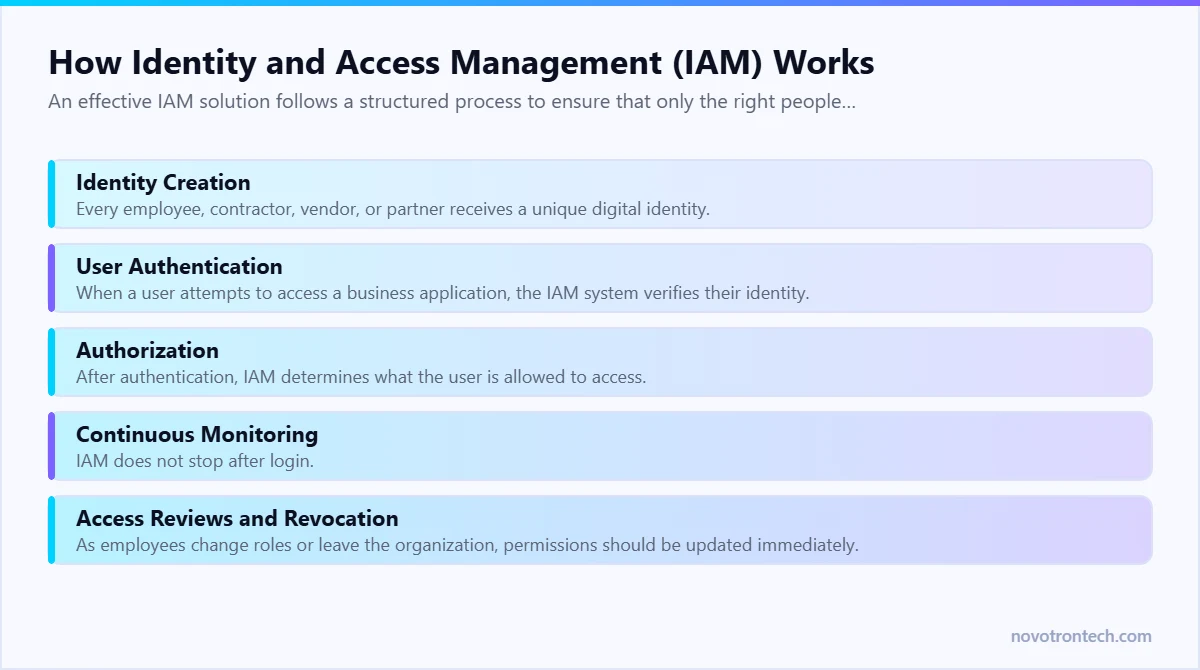
An effective IAM solution follows a structured process to ensure that only the right people have access to the right resources at the right time.
Although different IAM platforms offer unique features, the overall workflow remains similar.
Step 1: Identity Creation
Every employee, contractor, vendor, or partner receives a unique digital identity.
This identity contains information such as:
- Name
- Department
- Job role
- Employee ID
- Assigned applications
- Access permissions
- Authentication requirements
Centralized identity creation ensures consistency across all business systems.
Step 2: User Authentication
When a user attempts to access a business application, the IAM system verifies their identity.
Authentication may include:
- Username and password
- Multi-Factor Authentication (MFA)
- Biometric authentication
- Security keys
- Passwordless login
The stronger the authentication process, the lower the risk of unauthorized access.
Step 3: Authorization
After authentication, IAM determines what the user is allowed to access.
For example:
- HR staff access payroll systems.
- Finance teams access accounting software.
- IT administrators manage infrastructure.
- Sales teams access CRM platforms.
Authorization follows predefined access policies and role-based permissions.
Step 4: Continuous Monitoring
IAM does not stop after login.
Modern IAM solutions continuously monitor:
- Login activity
- Device health
- User behavior
- Location changes
- Privileged account usage
- Access requests
If suspicious activity is detected, additional authentication may be required or access may be blocked automatically.
Step 5: Access Reviews and Revocation
As employees change roles or leave the organization, permissions should be updated immediately.
Regular access reviews help organizations:
- Remove unnecessary permissions
- Disable inactive accounts
- Prevent privilege creep
- Reduce insider risks
Proper lifecycle management is a critical part of IAM.
Authentication vs Authorization
These terms are often confused, but they perform different functions.
| Authentication | Authorization |
|---|---|
| Confirms who the user is | Determines what the user can access |
| Happens before access is granted | Happens after identity verification |
| Uses passwords, MFA, biometrics, or security keys | Uses roles, policies, and permissions |
| Focuses on identity verification | Focuses on access control |
Both are essential for a secure Identity and Access Management strategy.
Benefits of Identity and Access Management
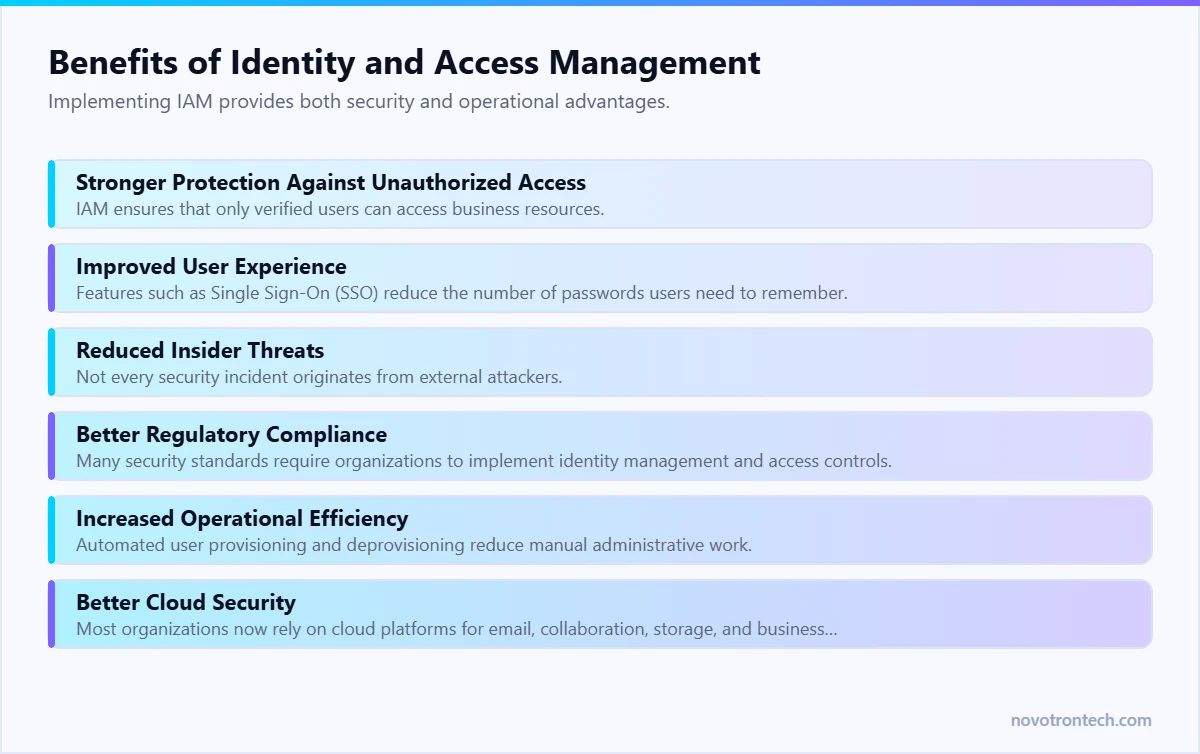
Implementing IAM provides both security and operational advantages.
Stronger Protection Against Unauthorized Access
IAM ensures that only verified users can access business resources.
Even if attackers obtain login credentials, additional authentication and access controls significantly reduce the likelihood of compromise.
Improved User Experience
Features such as Single Sign-On (SSO) reduce the number of passwords users need to remember.
Employees can securely access multiple applications using a single authenticated session, improving productivity without compromising security.
Reduced Insider Threats
Not every security incident originates from external attackers.
IAM limits unnecessary permissions and continuously reviews access rights, reducing both accidental and intentional insider risks.
Better Regulatory Compliance
Many security standards require organizations to implement identity management and access controls.
IAM helps support compliance with frameworks such as:
- ISO 27001
- NIST Cybersecurity Framework
- PCI DSS
- HIPAA
- GDPR
Centralized logging and access reporting also simplify audits.
Increased Operational Efficiency
Automated user provisioning and deprovisioning reduce manual administrative work.
IT teams can:
- Create accounts faster
- Modify permissions efficiently
- Remove access immediately when employees leave
- Standardize identity management processes
Automation reduces errors while improving security.
Better Cloud Security
Most organizations now rely on cloud platforms for email, collaboration, storage, and business applications.
IAM provides centralized identity management across services such as:
- Microsoft 365
- Google Workspace
- Microsoft Azure
- Amazon Web Services (AWS)
- Google Cloud Platform (GCP)
Consistent identity policies strengthen security across hybrid and multi-cloud environments.
Common IAM Challenges
While IAM offers significant benefits, organizations should plan for common implementation challenges.
Managing Legacy Systems
Older applications may not support modern authentication methods or centralized identity management.
Integrating these systems often requires additional planning.
Permission Creep
Employees frequently change roles within an organization.
If permissions are never reviewed, users may accumulate unnecessary access over time, increasing security risks.
Regular access reviews help prevent this issue.
Weak Password Practices
Even with IAM in place, weak or reused passwords remain a common vulnerability.
Businesses should enforce strong password policies and require Multi-Factor Authentication for all critical systems.
Third-Party Access
Vendors, contractors, and partners often require temporary access to business systems.
Organizations should carefully manage external identities and remove access when projects end.
Balancing Security and User Experience
Excessive security controls can frustrate users.
Modern IAM solutions address this by using adaptive authentication, risk-based access, and passwordless technologies to maintain both security and usability.
IAM Best Practices
To maximize the effectiveness of Identity and Access Management, businesses should follow these best practices:
- Enable Multi-Factor Authentication (MFA) for all users.
- Apply the Principle of Least Privilege.
- Implement Role-Based Access Control (RBAC).
- Use Single Sign-On (SSO) wherever possible.
- Regularly review user permissions and privileged accounts.
- Remove inactive and unused accounts promptly.
- Monitor login activity for unusual behavior.
- Automate user provisioning and deprovisioning.
- Conduct periodic access audits.
- Train employees on identity security and phishing awareness.
IAM is most effective when combined with other layers of cyber security.
How IAM Supports Modern Cyber Security
Identity and Access Management is not a standalone technology.
It integrates with multiple security solutions to create a comprehensive defense strategy.
Multi-Factor Authentication (MFA)
Strengthens user authentication by requiring multiple forms of verification.
Endpoint Security
Evaluates the security posture of devices before granting access.
Zero Trust Security
Continuously verifies users and devices before allowing access to business resources.
Security Information and Event Management (SIEM)
Collects and analyzes authentication logs to identify suspicious behavior and support faster threat detection.
Security Operations Center (SOC)
Provides continuous monitoring of identity-related events and rapid response to potential security incidents.
Cloud Security
Protects identities across cloud applications, SaaS platforms, and hybrid environments through centralized access control.
Why Businesses Choose Novotron for Identity and Access Management
Managing identities across modern IT environments requires more than creating user accounts. Organizations need a strategic approach that combines identity governance, strong authentication, access control, and continuous monitoring.
Novotron helps businesses strengthen identity security through:
- Identity and Access Management (IAM) Strategy
- Multi-Factor Authentication (MFA) Implementation
- Single Sign-On (SSO) Solutions
- Privileged Access Management (PAM)
- Zero Trust Security Implementation
- Endpoint Security Solutions
- Security Information and Event Management (SIEM)
- Security Operations Center (SOC) Support
- Cloud Identity Security
- Managed IT Services
By integrating IAM with modern cyber security technologies, Novotron helps organizations reduce identity-related risks, simplify access management, and build secure, scalable IT environments.
Conclusion
As businesses continue adopting cloud technologies, hybrid work models, AI-powered applications, and digital transformation initiatives, managing user identities has become more important than ever. Traditional security approaches that rely solely on passwords or network boundaries are no longer sufficient to protect modern IT environments.
Identity and Access Management (IAM) provides organizations with a structured approach to verifying user identities, controlling access permissions, and protecting sensitive business resources. By combining authentication, authorization, access governance, and continuous monitoring, IAM significantly reduces the risk of unauthorized access, insider threats, and credential-based cyber attacks.
When integrated with technologies such as Multi-Factor Authentication (MFA), Zero Trust Security, Security Information and Event Management (SIEM), and Security Operations Center (SOC) services, IAM becomes a critical pillar of a modern cyber security strategy.
Whether your organization is a growing business or a large enterprise, implementing a robust IAM framework improves security, enhances operational efficiency, supports regulatory compliance, and prepares your business for future cyber security challenges.
Partnering with an experienced IT and cyber security provider like Novotron ensures your organization can implement scalable Identity and Access Management solutions that align with your business goals while protecting your most valuable digital assets.
Frequently Asked Questions (FAQs)
What is Identity and Access Management (IAM)?
Identity and Access Management (IAM) is a cyber security framework that manages user identities and controls access to business systems, applications, and data. It ensures that only authorized users can access the resources they need while reducing the risk of unauthorized access.
Why is IAM important for businesses?
IAM helps businesses improve security, protect sensitive information, simplify user access, reduce insider threats, support compliance, and strengthen identity protection across cloud and on-premises environments.
What is the difference between authentication and authorization?
Authentication verifies a user’s identity, while authorization determines what resources the authenticated user is allowed to access. Authentication happens first, followed by authorization.
How does IAM support Zero Trust Security?
Zero Trust relies on continuous identity verification before granting access to resources. IAM provides the authentication, authorization, identity governance, and access controls required to implement a successful Zero Trust strategy.
What are the key components of an IAM solution?
A typical IAM solution includes:
- Identity Management
- Authentication
- Authorization
- Single Sign-On (SSO)
- Multi-Factor Authentication (MFA)
- Privileged Access Management (PAM)
- Access Governance
- User Lifecycle Management
Can IAM improve cloud security?
Yes. IAM centralizes identity management across cloud platforms and SaaS applications, ensuring consistent access policies, stronger authentication, and better visibility into user activity across hybrid and multi-cloud environments.
Is IAM only for large enterprises?
No. Businesses of all sizes can benefit from IAM. Small and medium-sized organizations can use IAM to improve security, simplify user management, and prepare for future growth while reducing cyber security risks.
Related: what VAPT & SOC monitoring actually cost in Noida · 24/7 SOC support services · how to choose an IT partner in Noida.