Cyber threats are becoming more advanced, making real-time threat detection essential for modern businesses. Security Information and Event Management (SIEM) helps organizations collect, analyze, and monitor security events from across their IT environment to detect threats faster, improve incident response, and strengthen cyber resilience.
Every day, businesses generate thousands—or even millions—of security events across their IT infrastructure. Employees log in to business applications, firewalls inspect network traffic, cloud platforms process data, and endpoint devices continuously communicate with company systems.
Hidden within these activities can be signs of cyber attacks, unauthorized access attempts, malware infections, insider threats, or suspicious behavior. Detecting these threats manually is nearly impossible, especially as organizations adopt cloud computing, hybrid work models, and increasingly complex IT environments.
This is where Security Information and Event Management (SIEM) becomes essential.
SIEM solutions collect and analyze security logs from multiple sources, helping organizations detect threats in real time, investigate incidents, and respond quickly before attackers can cause significant damage.
Whether you are a growing business or a large enterprise, SIEM strengthens your cyber security strategy by providing centralized visibility into your entire IT environment.
What Is SIEM?
Security Information and Event Management (SIEM) is a cyber security solution that collects, centralizes, correlates, and analyzes security logs and events from across an organization’s IT infrastructure.
Rather than monitoring each security tool separately, SIEM provides a unified platform where security teams can monitor all activity from a single dashboard.
A SIEM solution gathers data from:
- Firewalls
- Servers
- Network devices
- Endpoint security tools
- Cloud platforms
- Applications
- Identity and Access Management (IAM) systems
- Email security platforms
- VPNs
- Databases
By correlating data from multiple sources, SIEM identifies suspicious behavior that individual security tools might miss.
Why Is SIEM Important?
Modern businesses rely on multiple security technologies. While each tool generates valuable security information, managing these logs individually becomes inefficient and increases the risk of missing critical threats.
SIEM addresses this challenge by:
- Centralizing security data
- Detecting suspicious patterns
- Prioritizing security alerts
- Supporting faster investigations
- Improving incident response
Instead of reacting after an attack occurs, businesses can identify potential threats earlier and respond before significant damage is done.
How Does SIEM Work?
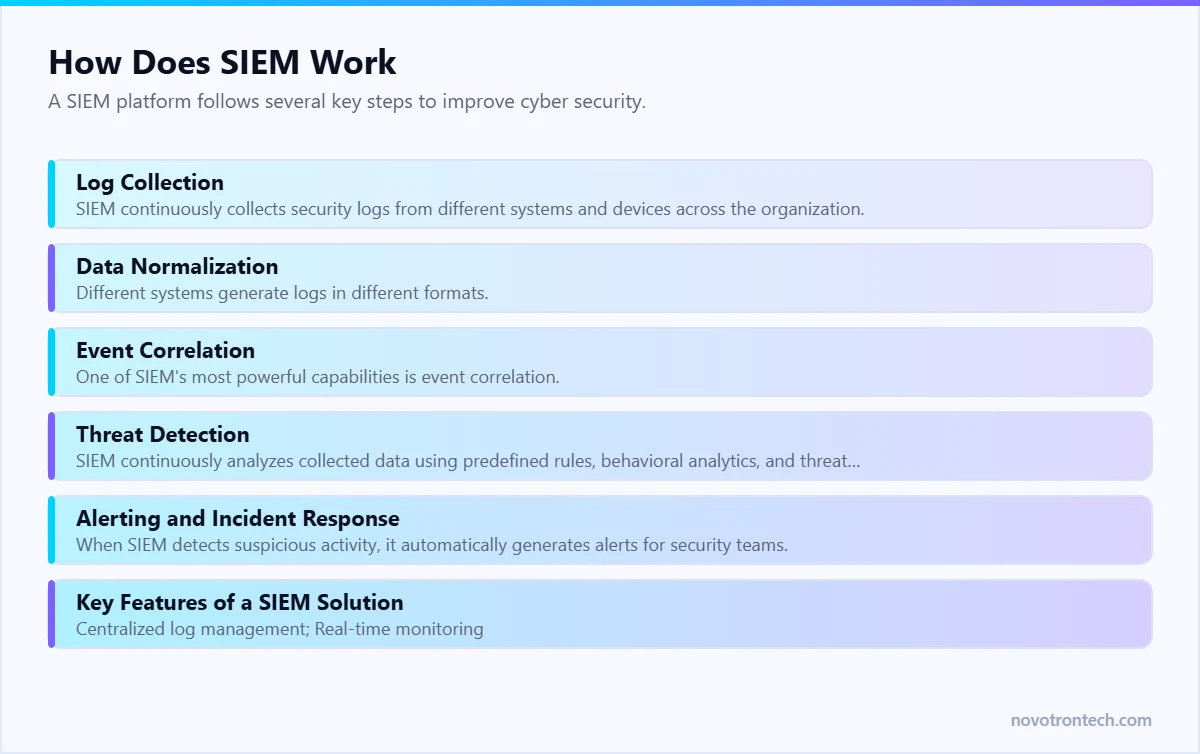
A SIEM platform follows several key steps to improve cyber security.
1. Log Collection
SIEM continuously collects security logs from different systems and devices across the organization.
Examples include:
- Firewall logs
- Server logs
- Authentication logs
- Cloud service logs
- Endpoint security logs
- Network traffic logs
- Application activity
This creates a centralized repository of security information.
2. Data Normalization
Different systems generate logs in different formats.
SIEM normalizes this data into a consistent structure, making it easier to analyze and correlate events across multiple sources.
3. Event Correlation
One of SIEM’s most powerful capabilities is event correlation.
Instead of evaluating individual events in isolation, SIEM connects related activities.
For example:
- Multiple failed login attempts
- Successful login from another country
- Privilege escalation
- Large file downloads
Individually, these events may appear harmless. Together, they could indicate an active cyber attack.
4. Threat Detection
SIEM continuously analyzes collected data using predefined rules, behavioral analytics, and threat intelligence feeds.
It detects activities such as:
- Unauthorized access attempts
- Malware execution
- Insider threats
- Credential misuse
- Ransomware indicators
- Suspicious network traffic
This enables organizations to identify threats much earlier.
5. Alerting and Incident Response
When SIEM detects suspicious activity, it automatically generates alerts for security teams.
Alerts include contextual information that helps analysts investigate incidents more efficiently.
Faster detection leads to faster containment and reduced business impact.
Key Features of a SIEM Solution
A modern SIEM platform typically includes:
- Centralized log management
- Real-time monitoring
- Security event correlation
- Automated alerting
- Threat intelligence integration
- User behavior analytics
- Compliance reporting
- Incident investigation dashboards
- Security reporting
- Long-term log retention
These capabilities provide greater visibility into an organization’s security posture.
Benefits of SIEM for Businesses
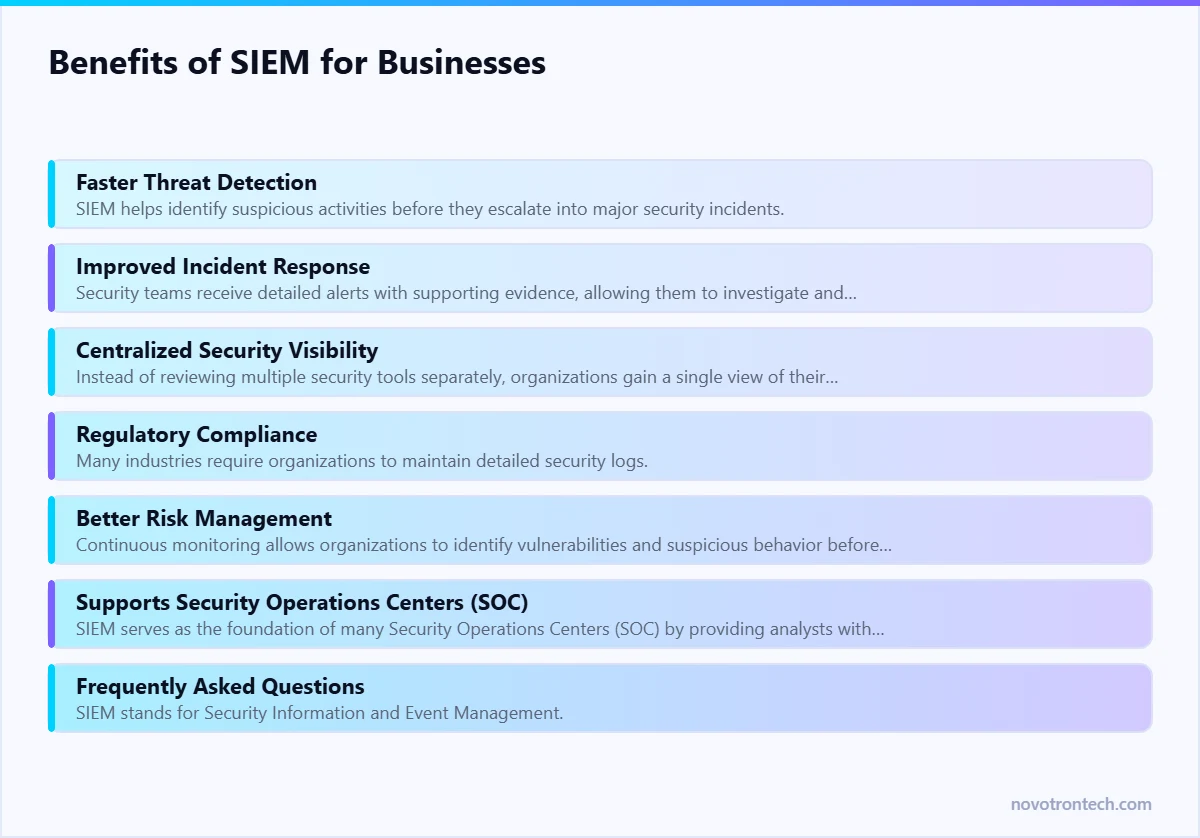
1. Faster Threat Detection
SIEM helps identify suspicious activities before they escalate into major security incidents.
Real-time monitoring reduces the time attackers remain undetected.
2. Improved Incident Response
Security teams receive detailed alerts with supporting evidence, allowing them to investigate and respond more effectively.
This reduces Mean Time to Detect (MTTD) and Mean Time to Respond (MTTR).
3. Centralized Security Visibility
Instead of reviewing multiple security tools separately, organizations gain a single view of their entire IT environment.
This simplifies security operations and improves decision-making.
4. Regulatory Compliance
Many industries require organizations to maintain detailed security logs.
SIEM supports compliance by:
- Storing audit logs
- Generating compliance reports
- Monitoring security events
- Supporting forensic investigations
5. Better Risk Management
Continuous monitoring allows organizations to identify vulnerabilities and suspicious behavior before they become critical security incidents.
6. Supports Security Operations Centers (SOC)
SIEM serves as the foundation of many Security Operations Centers (SOC) by providing analysts with centralized visibility, alerting, and investigation capabilities.
Businesses that use managed SOC services often rely on SIEM to improve monitoring and response efficiency.
Related: what VAPT & SOC monitoring actually cost in Noida · 24/7 SOC support services · how to choose an IT partner in Noida.
Frequently Asked Questions
What is SIEM in simple terms?
SIEM stands for Security Information and Event Management. It collects log and event data from across your servers, endpoints, firewalls, cloud services and applications, normalises it into one searchable place, and correlates it to spot patterns that indicate an attack — patterns no single system would notice on its own.
What is the difference between SIEM and a SOC?
SIEM is the technology; a SOC is the team that uses it. A SIEM with nobody watching it produces alerts into an empty room. Most businesses buy the two together, either as an in-house capability or as SOC-as-a-service.
How is SIEM different from EDR or antivirus?
Antivirus and endpoint protection defend individual devices. EDR adds detection and response on those endpoints. SIEM sits above both, correlating what endpoints, network devices, identity systems and cloud platforms are each reporting so that a multi-stage attack becomes visible as one story rather than five unrelated alerts.
Does a small or mid-sized business need SIEM?
If you handle customer data, take card payments, work with enterprise clients who audit your controls, or fall under regulatory obligations, then yes — but usually as a managed service rather than a platform you run yourself. Buying a SIEM licence without the analysts to operate it is the most common and most expensive mistake in this category.
What log sources should a SIEM collect first?
Start with identity (directory and MFA logs), endpoints, firewalls and perimeter devices, email security, and cloud platform audit logs. These five sources cover the overwhelming majority of initial-access techniques. Application and database logs come next, once the basics are tuned.
How long does a SIEM take to deploy?
A focused deployment covering core log sources typically takes four to eight weeks: onboarding sources, baselining normal behaviour, tuning out false positives, and building the first detection rules and runbooks. Tuning is continuous rather than a one-off phase.
What SIEM Costs, and Why Log Volume Decides It
SIEM pricing is driven by data, not by user count. Most platforms charge on gigabytes ingested per day or on events per second, which means the sizing conversation is really a decision about what you send.
That creates a predictable trap: teams either forward everything and watch the bill climb, or forward too little and discover during an incident that the relevant logs were never collected. The workable middle is to prioritise sources by investigative value — identity and authentication logs, firewall and VPN, endpoint detection telemetry, domain controllers, cloud audit trails and critical application logs — and leave high-volume, low-value sources out until there is a reason to include them.
For managed SIEM and monitoring delivered as a service in India, budget from roughly ₹50,000 per month at the small end, rising with endpoints and log volume. The pricing models are broken down in SOC as a Service pricing in India.
SIEM Without Analysts Is an Expensive Log Archive
This is the most common and most expensive mistake. A SIEM generates alerts; it does not decide which ones matter. Without someone triaging them, a deployment produces thousands of events a week that nobody reads, and the first real detection is buried among them.
Three arrangements work in practice:
- In-house SOC. Requires at least five or six analysts for genuine 24×7 coverage after leave and attrition. Realistic only at enterprise scale.
- Managed SOC or SIEM-as-a-service. The platform plus analysts, priced monthly. The usual answer for mid-market businesses — see SOC support.
- Co-managed. You own the platform and business-hours triage; a provider covers nights, weekends and escalation. Sensible when you already have a security-aware IT team.
Which SIEM Products Are Built in India?
Very few. Most SIEM platforms used by Indian businesses are developed outside India, including Splunk, Microsoft Sentinel, IBM QRadar and the open-source Wazuh. The best-known India-built option is the Percept platform from Sequretek, an Indian cybersecurity company, which combines a next-generation SIEM with XDR, EDR and identity tools. If buying from an Indian vendor is a requirement, for example in a government or public-sector tender, confirm the vendor’s country of development and where the platform is hosted in writing before you shortlist.
For most businesses, where the product was built matters less than three practical questions:
- Where are the logs stored? CERT-In’s April 2022 directions require organisations to keep ICT system logs for 180 days within Indian jurisdiction, so check the SIEM’s data location.
- Who watches the alerts? A SIEM without analysts is an expensive log archive. Decide whether your team or a managed SOC will respond, and at what hours.
- How is it priced? Many SIEMs charge by data volume, so the log sources you onboard decide the bill.
Choosing a SIEM Service Provider in India
If you would rather not run a SIEM yourself, a SIEM service provider operates the platform and the monitoring for you. Novotron, an IT services and cybersecurity company in Noida, provides 24/7 SOC monitoring for businesses across Delhi NCR. Our SOC-as-a-service pricing guide explains what managed monitoring typically costs in India.
SIEM vs EDR vs MDR — Which Problem Each Solves
- SIEM aggregates and correlates logs from across the estate. Its strength is breadth and the ability to reconstruct a sequence of events after the fact.
- EDR sees deeply into what happens on an endpoint and can isolate or roll back. Its strength is depth on the device — covered in endpoint security.
- MDR is a service wrapper: detection technology plus analysts who investigate and respond on your behalf. See managed detection and response.
- In combination: EDR supplies the richest telemetry, SIEM correlates it with identity, firewall and cloud events, and a SOC or MDR team turns the result into action.
Getting Value in the First 90 Days
- Weeks 1–2. Onboard identity, firewall, VPN and domain controller logs first. These cover the majority of early-stage attack activity.
- Weeks 3–4. Set retention deliberately — long enough to investigate an incident discovered weeks later, and long enough for any compliance obligation you carry.
- Weeks 5–8. Tune. Suppress known-benign noise, and write detection rules for the scenarios that actually apply to you: impossible-travel logins, new admin account creation, mass file access, disabled security tooling.
- Weeks 9–12. Rehearse. Run a tabletop exercise using real SIEM data so escalation paths are tested before an incident, not during one.