
Data is one of the most valuable assets for any business. Customer information, financial records, employee files, project documents, emails, applications, and databases are essential for daily operations. Losing this data—even for a few hours—can disrupt business continuity, damage customer trust, and result in significant financial losses.
Today, organizations face numerous threats to their data, including ransomware attacks, accidental file deletion, hardware failures, software corruption, insider threats, and natural disasters. Traditional backup methods, such as external hard drives or on-premises backup servers, are often difficult to manage, expensive to maintain, and vulnerable to the same incidents that affect production systems.
As businesses adopt cloud technologies and hybrid work environments, they need a more reliable, scalable, and automated approach to data protection.
This is where Backup as a Service (BaaS) comes in.
Backup as a Service is a cloud-based solution that automatically backs up business data to secure remote infrastructure. It enables organizations to recover critical information quickly without investing in complex backup hardware or managing backup infrastructure internally.
Whether you’re a startup, a growing enterprise, or a large organization, BaaS helps ensure your business remains operational even when unexpected events occur.
In this guide, we’ll explain what Backup as a Service is, how it works, its benefits, common use cases, and why it has become a critical component of modern business continuity and disaster recovery planning.
What Is Backup as a Service (BaaS)?
Backup as a Service (BaaS) is a cloud-based managed service that automatically copies and stores business data in a secure off-site environment, making it available for recovery whenever data is lost, corrupted, or compromised.
Instead of maintaining physical backup servers, storage devices, or tape libraries, businesses use a cloud provider or managed IT service provider to handle backup infrastructure, storage, monitoring, and recovery.
BaaS allows organizations to protect:
- Business documents
- Customer databases
- Virtual machines
- Physical servers
- Cloud applications
- Microsoft 365 data
- Google Workspace data
- Email systems
- File servers
- Business applications
Because backups are stored in geographically separate and secure data centers, organizations can recover data even if their primary office or infrastructure becomes unavailable.
Why Backup as a Service Is Important
Many organizations assume their cloud applications automatically protect all their data.
This is a common misconception.
While cloud providers ensure the availability of their platforms, businesses are often responsible for protecting their own data.
Without a proper backup strategy, organizations risk losing valuable information due to:
- Ransomware attacks
- Accidental deletion
- Hardware failure
- Database corruption
- Insider threats
- Software bugs
- Natural disasters
- Human error
Backup as a Service ensures that businesses always have a secure and recoverable copy of their critical data.
How Backup as a Service Works
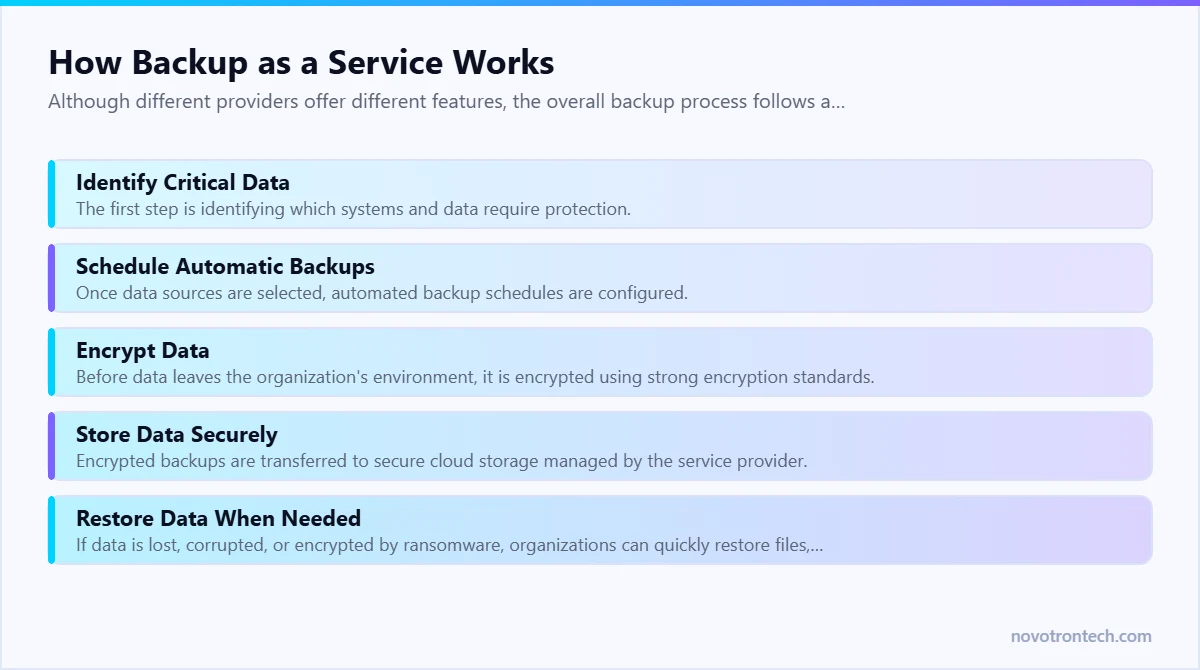
Although different providers offer different features, the overall backup process follows a similar workflow.
Step 1: Identify Critical Data
The first step is identifying which systems and data require protection.
This may include:
- Databases
- File servers
- Virtual machines
- Cloud workloads
- Microsoft 365
- Google Workspace
- CRM platforms
- ERP applications
- Customer records
- Financial systems
Organizations should prioritize business-critical workloads that would have the greatest impact if lost.
Step 2: Schedule Automatic Backups
Once data sources are selected, automated backup schedules are configured.
Backups may occur:
- Every hour
- Daily
- Weekly
- Continuously (Continuous Data Protection)
Automation eliminates the need for manual backups and reduces the risk of human error.
Step 3: Encrypt Data
Before data leaves the organization’s environment, it is encrypted using strong encryption standards.
Encryption protects sensitive information during transmission and while stored in the cloud.
Step 4: Store Data Securely
Encrypted backups are transferred to secure cloud storage managed by the service provider.
Many BaaS platforms store multiple copies across geographically distributed data centers to improve resilience.
Step 5: Restore Data When Needed
If data is lost, corrupted, or encrypted by ransomware, organizations can quickly restore files, applications, or entire systems from backup copies.
Recovery options depend on business requirements and recovery objectives.
Types of Backup Used in BaaS
Different backup methods provide different levels of speed, storage efficiency, and recovery capabilities.
Full Backup
A full backup creates a complete copy of all selected data.
Advantages:
- Simplifies recovery
- Provides the most complete backup
Disadvantages:
- Requires more storage
- Takes longer to complete
Incremental Backup
Incremental backups copy only the data that has changed since the previous backup.
Advantages:
- Faster backup times
- Lower storage requirements
- More efficient for large environments
Differential Backup
Differential backups store all changes made since the last full backup.
Recovery is generally faster than incremental backups while using less storage than repeated full backups.
Continuous Data Protection (CDP)
Continuous Data Protection backs up data almost in real time.
This significantly reduces potential data loss because changes are captured continuously rather than on a fixed schedule.
CDP is especially useful for organizations with mission-critical systems.
Key Benefits of Backup as a Service
Implementing BaaS provides significant business and security advantages.
Automated Data Protection
Backups occur automatically according to predefined schedules, reducing manual effort and ensuring consistent protection.
Reduced Infrastructure Costs
Businesses no longer need to purchase, maintain, or upgrade expensive backup hardware.
The service provider manages storage, infrastructure, and maintenance.
Improved Disaster Recovery
Cloud-based backups allow organizations to recover data quickly after cyberattacks, hardware failures, or natural disasters.
This minimizes downtime and helps maintain business continuity.
Protection Against Ransomware
If ransomware encrypts production systems, organizations can restore clean backup copies without relying solely on attackers or paying ransom demands.
When combined with strong cyber security measures, BaaS significantly improves organizational resilience.
Scalability
As businesses grow, backup storage requirements increase.
Cloud-based backup services allow organizations to scale storage capacity without purchasing additional hardware.
Secure Off-Site Storage
Unlike local backup devices that may be damaged during fires, floods, or theft, cloud backups remain available from secure remote locations.
This provides an additional layer of protection for business-critical data.
Supports Compliance
Many industries require organizations to maintain secure backup and recovery processes for regulatory compliance.
Backup as a Service helps businesses meet these requirements while improving audit readiness.
Common Use Cases for Backup as a Service
Backup as a Service is widely used across industries to protect different types of business data.
Common use cases include:
- Protecting Microsoft 365 and Google Workspace data
- Backing up virtual machines and cloud workloads
- Securing financial and accounting systems
- Protecting customer databases and CRM platforms
- Safeguarding file servers and shared documents
- Supporting disaster recovery plans
- Enabling business continuity during cyber incidents
- Recovering data after accidental deletion or hardware failures
Regardless of organization size, BaaS provides a reliable foundation for long-term data protection.
Why Every Business Needs Backup as a Service (BaaS)
Many businesses believe backups are only necessary after a major cyberattack or hardware failure. In reality, data loss can happen at any time due to accidental deletion, software corruption, insider errors, cloud misconfigurations, or even routine system updates.
Without a reliable backup strategy, recovering critical business information can take days—or may not be possible at all.
Backup as a Service (BaaS) helps organizations stay prepared by ensuring that important data is securely backed up, continuously monitored, and available for rapid recovery whenever an unexpected incident occurs.
Whether your organization has 20 employees or 2,000, protecting business data is no longer optional—it’s a core part of business resilience.
Backup as a Service vs Traditional Backup
Many organizations still rely on external hard drives, NAS devices, or on-premises backup servers. While these methods provide some level of protection, they often lack automation, scalability, and disaster resilience.
| Feature | Backup as a Service (BaaS) | Traditional Backup |
|---|---|---|
| Storage Location | Secure cloud infrastructure | Local servers or external drives |
| Backup Process | Automated | Often manual or scheduled locally |
| Scalability | Easily scalable | Limited by hardware capacity |
| Disaster Protection | Off-site and geographically redundant | Vulnerable to local disasters |
| Maintenance | Managed by service provider | Managed by internal IT team |
| Recovery Speed | Fast and centralized | Depends on hardware availability |
| Initial Investment | Low upfront cost | High hardware investment |
For modern businesses, cloud-based backups provide greater flexibility and lower operational overhead compared to traditional backup methods.
Business Benefits of Backup as a Service
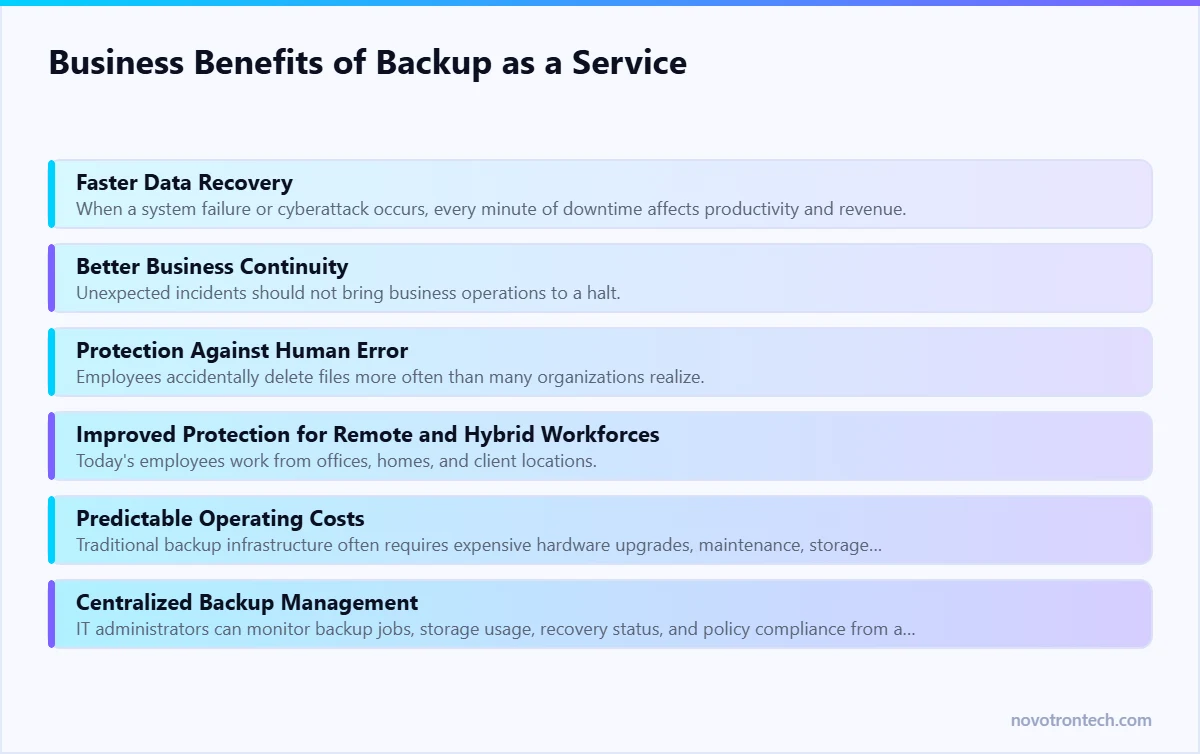
Faster Data Recovery
When a system failure or cyberattack occurs, every minute of downtime affects productivity and revenue.
BaaS enables organizations to restore files, applications, databases, or entire virtual machines quickly, minimizing disruption and helping teams resume operations faster.
Better Business Continuity
Unexpected incidents should not bring business operations to a halt.
Backup as a Service supports business continuity by ensuring that critical information remains recoverable even if production systems become unavailable.
Protection Against Human Error
Employees accidentally delete files more often than many organizations realize.
Automated cloud backups make it easy to recover deleted documents without relying on complex manual recovery processes.
Improved Protection for Remote and Hybrid Workforces
Today’s employees work from offices, homes, and client locations.
Cloud-based backups ensure that important business data remains protected regardless of where employees access or create it.
Predictable Operating Costs
Traditional backup infrastructure often requires expensive hardware upgrades, maintenance, storage expansion, and replacement cycles.
BaaS uses a subscription-based model, allowing businesses to plan IT expenses more effectively while avoiding large capital investments.
Centralized Backup Management
IT administrators can monitor backup jobs, storage usage, recovery status, and policy compliance from a centralized management console.
This simplifies administration across multiple locations and cloud environments.
Common Backup Mistakes Businesses Make
Even organizations that perform backups may still expose themselves to unnecessary risks.
Assuming Cloud Platforms Automatically Back Up Everything
Many businesses believe services such as Microsoft 365 or Google Workspace provide complete backup protection.
While these platforms maintain infrastructure availability, organizations remain responsible for protecting their own business data and meeting retention requirements.
Keeping Only One Backup Copy
Storing a single backup copy creates a single point of failure.
Businesses should follow the 3-2-1 backup strategy:
- Keep 3 copies of important data.
- Store backups on 2 different types of media.
- Maintain 1 copy off-site or in the cloud.
This significantly improves resilience against hardware failures, ransomware, and disasters.
Never Testing Backup Recovery
A backup has little value if it cannot be restored successfully.
Organizations should regularly perform recovery tests to verify:
- Backup integrity
- Recovery speed
- Recovery Point Objectives (RPO)
- Recovery Time Objectives (RTO)
Testing ensures systems can be restored when needed.
Ignoring Backup Security
Backups themselves can become targets for attackers.
Businesses should protect backup environments using:
- Encryption
- Multi-Factor Authentication (MFA)
- Role-Based Access Control (RBAC)
- Immutable backup storage
- Access logging
Securing backup data is just as important as creating it.
Using Infrequent Backup Schedules
Weekly backups may not be sufficient for businesses that process large volumes of data every day.
Organizations should define backup frequency based on business requirements, with critical systems backed up more frequently or continuously.
Best Practices for Backup as a Service
A successful backup strategy goes beyond simply copying files to the cloud.
Organizations should adopt the following best practices:
- Automate backup schedules.
- Encrypt data both in transit and at rest.
- Implement the 3-2-1 backup rule.
- Regularly test backup restoration procedures.
- Protect backup systems with Multi-Factor Authentication (MFA).
- Monitor backup jobs and storage capacity.
- Define clear RPO and RTO objectives.
- Secure cloud storage with strong access controls.
- Keep backup software updated.
- Review backup policies regularly as business needs evolve.
These practices improve reliability and reduce the risk of data loss during emergencies.
Backup as a Service and Disaster Recovery
as a Service and Disaster Recovery are closely related, but they are not the same.
Backup focuses on protecting data.
Disaster Recovery focuses on restoring business operations after a disruption.
An effective disaster recovery strategy uses reliable backups to restore:
- Applications
- Databases
- Virtual machines
- Business files
- Email systems
- Cloud workloads
Without dependable backups, disaster recovery plans cannot succeed.
This is why Backup as a Service serves as one of the foundational elements of any business continuity strategy.
Industries That Benefit Most from BaaS
While every organization can benefit from secure backups, Backup as a Service is especially valuable for industries that rely heavily on data availability and regulatory compliance.
These include:
- Healthcare organizations
- Financial institutions
- Manufacturing companies
- Educational institutions
- Legal firms
- Retail businesses
- E-commerce platforms
- IT service providers
- Government agencies
- Professional services firms
For these industries, losing access to critical information can lead to financial losses, operational disruption, and reputational damage.
Why Businesses Choose Novotron for Backup as a Service
Modern businesses require more than simple file backups. They need a comprehensive data protection strategy that combines secure cloud storage, automated backup management, rapid recovery, and continuous monitoring.
Novotron helps organizations protect business-critical data through enterprise-grade Backup as a Service solutions designed for reliability, scalability, and security.
Our backup and recovery capabilities include:
- Cloud Backup Solutions
- Backup as a Service (BaaS)
- Disaster Recovery Planning
- Business Continuity Solutions
- Microsoft 365 Backup
- Google Workspace Backup
- Server & Virtual Machine Backup
- Endpoint Backup
- Secure Off-Site Data Storage
- Backup Monitoring & Management
- Managed IT Services
- Cloud Infrastructure Support
By combining automated backups with modern cyber security practices, Novotron helps businesses reduce downtime, strengthen resilience, and ensure critical data is always available when it matters most.
Conclusion
In today’s digital-first business environment, data loss is no longer a question of if—it’s when. Cyberattacks, ransomware, accidental deletions, hardware failures, software corruption, and natural disasters can interrupt operations without warning. Organizations that fail to prepare often face extended downtime, financial losses, regulatory challenges, and damage to customer trust.
Backup as a Service (BaaS) provides businesses with a modern, scalable, and cost-effective way to protect critical data. By automating backups, storing encrypted copies in secure cloud environments, and enabling rapid recovery, BaaS helps organizations minimize downtime and maintain business continuity even during unexpected disruptions.
However, backups alone are not enough. Businesses should combine Backup as a Service with a broader cyber security strategy that includes Disaster Recovery Planning, Multi-Factor Authentication (MFA), Identity and Access Management (IAM), Endpoint Security, Next-Generation Firewalls (NGFW), Security Information and Event Management (SIEM), Security Operations Center (SOC), and regular Vulnerability Assessment & Penetration Testing (VAPT).
A layered approach to data protection ensures that your organization can not only prevent cyber threats but also recover quickly when incidents occur.
Whether you are a startup, a growing business, or a large enterprise, investing in Backup as a Service is an investment in resilience, operational continuity, and long-term business success.
Partnering with Novotron gives your business access to reliable cloud backup solutions, disaster recovery expertise, and managed IT services designed to protect your most valuable digital assets.
Frequently Asked Questions (FAQs)
What is Backup as a Service (BaaS)?
Backup as a Service (BaaS) is a cloud-based solution that automatically backs up business data to secure remote storage, allowing organizations to recover files, applications, and systems after data loss, cyberattacks, or hardware failures.
How is Backup as a Service different from traditional backups?
Traditional backups usually rely on local storage devices or on-premises servers that require manual management. BaaS uses secure cloud infrastructure, automated scheduling, centralized monitoring, and scalable storage, making backup management simpler and more reliable.
Why is Backup as a Service important for businesses?
BaaS helps businesses protect critical information against ransomware, accidental deletion, hardware failures, insider threats, and natural disasters while improving business continuity and reducing downtime.
Can Backup as a Service protect against ransomware?
Yes. If ransomware encrypts production systems, clean backup copies stored securely in the cloud can be restored, helping organizations recover without relying solely on attackers or paying ransom demands.
Is cloud data automatically backed up?
Not always. While cloud service providers maintain platform availability, businesses are typically responsible for protecting their own data. Dedicated backup solutions ensure recoverable copies are available when needed.
How often should businesses perform backups?
Backup frequency depends on business requirements. Critical systems may require continuous or hourly backups, while less frequently changing data may be backed up daily or weekly. Organizations should define backup schedules based on Recovery Point Objectives (RPO).
Which industries benefit most from Backup as a Service?
Almost every industry benefits from BaaS, including healthcare, finance, manufacturing, education, legal services, retail, e-commerce, government, and IT organizations that rely on continuous access to business data.
Related: the complete cloud migration guide · our cloud solutions · managed IT services in Noida.